To reset your Thor dishwasher, turn off the appliance, disconnect its power supply for approximately 5–10 minutes, restore power, and restart the dishwasher. If your model has a Start/Reset or Cancel button, you may also be able to cancel the current cycle and initiate a reset using the control panel.
Resetting a Thor dishwasher can help resolve minor electronic glitches, an unresponsive control panel, a cycle that will not start, or a dishwasher that stops midway through a wash. However, the exact reset procedure depends on your Thor dishwasher model.
Read More: Who Makes John Lewis Dishwashers? My Experience Explained
Table of contents
1. How to Reset Your Thor Dishwasher: Step-by-Step
Follow these steps to perform a basic power reset on your Thor dishwasher.
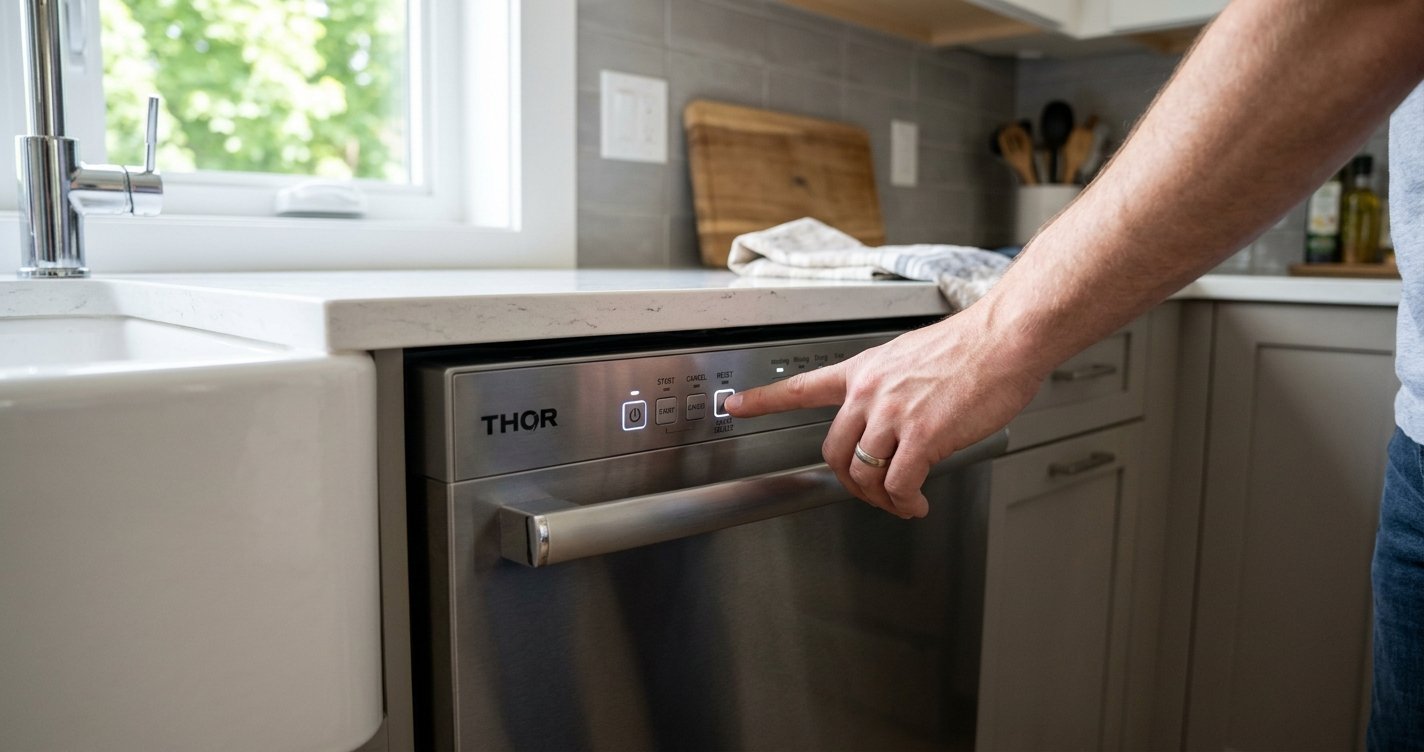
Step 1: Turn Off the Dishwasher
Press the Power button to turn off the dishwasher. If the controls are unresponsive, proceed to the next step.
Step 2: Disconnect the Power Supply
Disconnect the dishwasher from its electrical supply. If it is hardwired, switch off the appropriate circuit breaker at your electrical panel.
Safety tip: Never handle electrical connections with wet hands. Do not pull the dishwasher out or access exposed wiring to disconnect the power.
Step 3: Wait 5–10 Minutes
Leave the dishwasher without power for 5–10 minutes. This allows the control electronics to shut down completely and may clear a temporary electronic fault.
Waiting longer does not necessarily fix a mechanical or electrical problem.
Step 4: Restore Power
Reconnect the dishwasher to its power supply or switch the circuit breaker back on. Make sure the appliance is dry externally and that there are no visible signs of electrical damage.
Step 5: Restart the Dishwasher
Close the dishwasher door securely, select a suitable wash cycle, and press Start.
Check whether the dishwasher fills with water, begins washing, and operates normally.
Step 6: Check the Results
If the dishwasher starts and completes its cycle, the reset may have resolved the issue. If the same error code returns or the appliance remains unresponsive, further troubleshooting may be necessary.
2. How to Reset a Thor Dishwasher Using the Control Panel
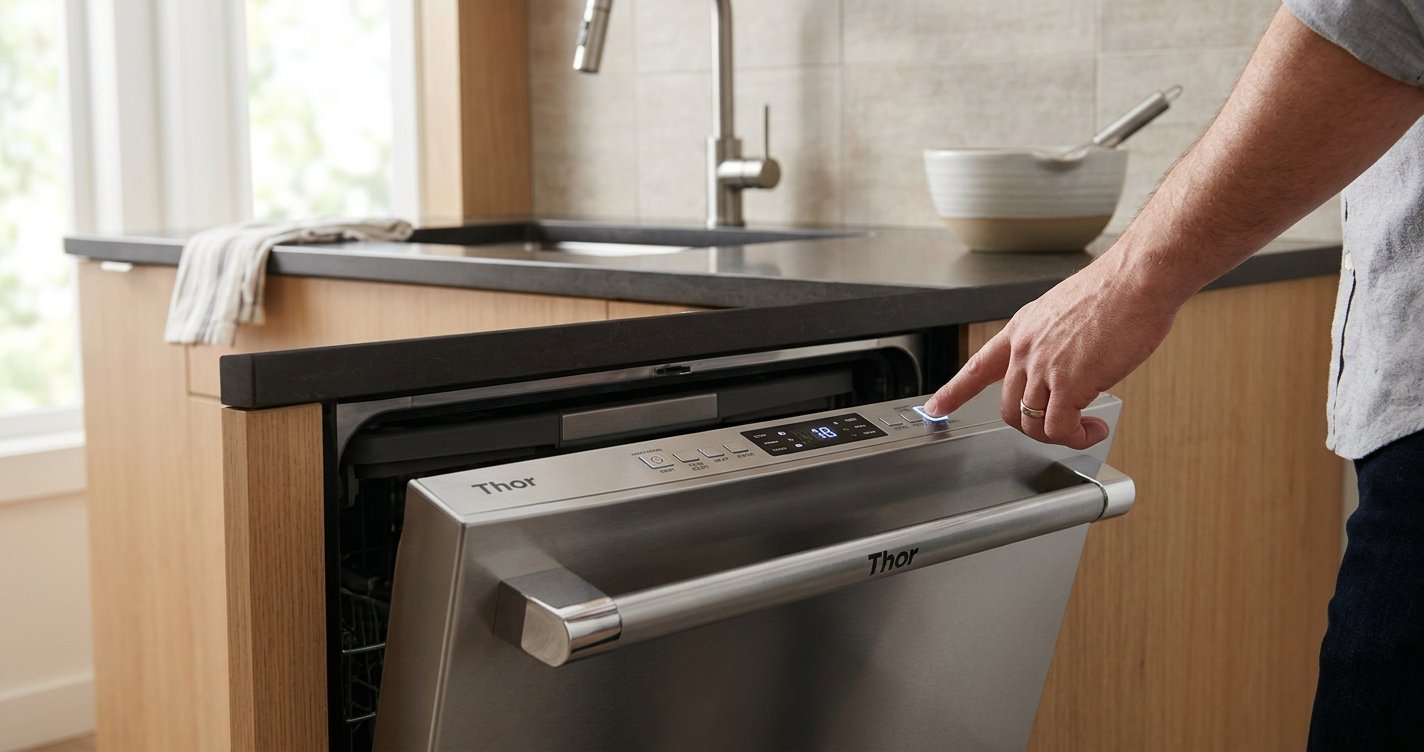
Some Thor dishwasher models provide a button or button combination for canceling a cycle or resetting the controls.
- Make sure the dishwasher is switched on.
- Look for a button labeled Start/Reset, Cancel, or Cancel/Drain, depending on your model.
- Press and hold the appropriate button only if the owner’s manual specifies a hold duration.
- Allow the dishwasher to cancel the current cycle or drain any remaining water, if applicable.
- Wait for the controls to return to their normal state.
- Select a new wash program and press Start.
Important: Button names, hold times, and reset sequences vary by model. Do not assume that every Thor dishwasher uses the same button combination. Consult the owner’s manual for the instructions specific to your appliance.
3. How to Reset a Thor Dishwasher After a Power Outage
A power interruption can leave a dishwasher with an interrupted cycle or temporarily unresponsive controls.
To reset it after a power outage:
- Confirm that electricity has returned and the circuit breaker has not tripped.
- Turn off the dishwasher.
- Disconnect power for 5–10 minutes, if necessary.
- Restore power and wait for the control panel to initialize.
- Open and close the door securely.
- Select a new cycle and press Start.
If the dishwasher remains completely dead, check the household circuit breaker and the power supply. If the breaker trips repeatedly, leave the appliance switched off and contact a qualified technician.
4. How to Fix Common Thor Dishwasher Problems
A reset can resolve temporary control issues, but it will not repair a blocked drain, faulty component, or water-supply problem.
Thor Dishwasher Will Not Start
Possible causes:
- The door is not fully latched.
- The dishwasher has no electrical power.
- The delay-start function is enabled.
- The control panel needs to be reset.
- A door latch or control component is defective.
What to do: Close the door firmly, check the selected program and delay settings, and perform a power reset. If the dishwasher still will not start, the door latch, power supply, or control system may need inspection.
Thor Dishwasher Is Stuck Mid-Cycle
Possible causes:
- A temporary control malfunction.
- A water-supply interruption.
- A drainage problem.
- An activated safety feature.
What to do: Check whether water is entering or draining from the appliance. If the dishwasher is not leaking and it is safe to do so, cancel the cycle using the model-specific instructions. Perform a power reset and restart the wash program.
If the problem repeatedly occurs at the same stage, investigate the water supply, drainage system, and any displayed error code.
Thor Dishwasher Is Not Draining
Possible causes:
- A clogged filter.
- A blocked drain hose.
- A clogged sink connection or garbage disposal inlet.
- A faulty drain pump.
What to do:
- Turn off the dishwasher and disconnect its power.
- Remove standing water carefully if necessary.
- Inspect and clean the removable filter according to the owner’s manual.
- Check accessible drain-hose connections for kinks or obstructions.
- Restore power and test the dishwasher.
Do not repeatedly reset a dishwasher that continues to retain water. A persistent drainage issue may require professional diagnosis.
Thor Dishwasher Buttons Are Not Responding
Possible causes:
- A temporary control-panel glitch.
- A control lock or child lock.
- An interrupted power supply.
- A faulty touch panel.
What to do: Check the display for a lock indicator and consult the manual for the correct unlocking procedure. If the controls remain unresponsive, perform a power reset.
If the control panel still does not work, the touch controls or electronic control board may need servicing.
5. Common Thor Dishwasher Error Codes and Reset Solutions
Thor dishwasher error codes vary by model, so the same code should not automatically be interpreted identically across all appliances.
Use the following table as a general troubleshooting guide rather than a definitive code reference.
| Problem or display | What to check | Recommended action |
| Dishwasher will not start | Power, door latch, control lock | Check the power supply and door, then reset if appropriate. |
| Water is not entering | Water valve, supply hose, inlet | Confirm the water supply is open and the hose is not kinked. |
| Water will not drain | Filter, drain hose, sink connection | Clean accessible obstructions and inspect the drainage path. |
| Cycle stops unexpectedly | Power interruption, water supply, displayed code | Check the relevant supply and consult the model-specific manual. |
| Controls are unresponsive | Control lock, power supply, control panel | Check the lock settings and perform a power reset. |
| Leak or overflow warning | Water in the base, leak protection system | Turn off the water supply if safe and arrange an inspection. |
If your dishwasher displays a specific code, write it down before resetting the appliance. Some warnings identify a problem that must be corrected before normal operation can resume.
6. When a Thor Dishwasher Reset Does Not Work
If your Thor dishwasher still does not operate after a reset, follow these troubleshooting steps.
Check the Power Supply
Verify that the circuit breaker is on and the appliance has power. If the breaker trips again, do not keep resetting it.
Inspect the Door and Controls
Ensure that the door closes securely and that any control-lock or delay-start settings are disabled when appropriate.
Check the Water Supply
Confirm that the water supply valve is open and that the inlet hose is not kinked.
Inspect the Filter and Drainage System
If water remains inside the dishwasher, clean the accessible filter and check for obvious drain obstructions. Disconnect power before cleaning or inspecting internal accessible components.
Consult the Model-Specific Manual
Locate the model number on the appliance’s identification label, often found around the door opening or on the side of the door. Use that number to find the correct operating instructions and error-code definitions.
Contact a Qualified Technician
Professional service may be necessary if the dishwasher:
- Repeatedly trips the circuit breaker.
- Displays the same error after troubleshooting.
- Leaks water or activates its leak-protection system.
- Makes unusual electrical noises or produces a burning smell.
- Has a suspected faulty pump, inlet valve, door latch, or control board.
Do not remove electrical panels or attempt live electrical testing unless you are qualified to do so.
7. Frequently Asked Questions
How long should I leave my Thor dishwasher unplugged to reset it?
A power interruption of approximately 5–10 minutes is a reasonable starting point for a basic reset. Your specific model’s manual may recommend a different procedure.
Will resetting my Thor dishwasher erase its settings?
A basic power reset generally does not erase permanent appliance settings, but it may cancel an active wash cycle or clear temporary operating information. The result depends on the model.
Why is my Thor dishwasher still not working after a reset?
The underlying problem may involve the door latch, water supply, drain system, control lock, wiring, or electronic components. Check the displayed error code and the model-specific troubleshooting instructions.
Can I reset my Thor dishwasher while water is inside?
You can generally interrupt the power to the dishwasher, but standing water may indicate a drainage issue. Follow the manual’s cancellation and draining procedure, and do not continue running the appliance if it is leaking.
Does every Thor dishwasher have a reset button?
No. Reset controls and procedures vary by model. Some appliances use a designated control-panel button, while others can be restarted by interrupting the power supply.
How do I find the correct reset procedure for my Thor dishwasher?
Find the model number on the appliance’s identification label and consult the corresponding owner’s manual. This is the most reliable way to confirm the correct button sequence, error-code meanings, and troubleshooting steps.
Conclusion
Resetting your Thor dishwasher is often straightforward: turn off the appliance, disconnect its power for 5–10 minutes, restore power, and start a new wash cycle. If your model provides a dedicated reset or cancel function, follow the instructions in its owner’s manual.
If the dishwasher continues to display an error, fails to drain, or will not start, investigate the underlying problem rather than repeating the reset.
For the most accurate instructions, identify your exact Thor dishwasher model before attempting a model-specific reset sequence.